Consignment Tracker
A free Excel template for founders placing physical product on consignment across 5–100 stores.
SpreadsheetWhat this does
Multi-store consignment placements fall apart because most founders collapse units-committed, units-delivered, units-sold, and units-invoiceable into one column. This file pulls them apart.
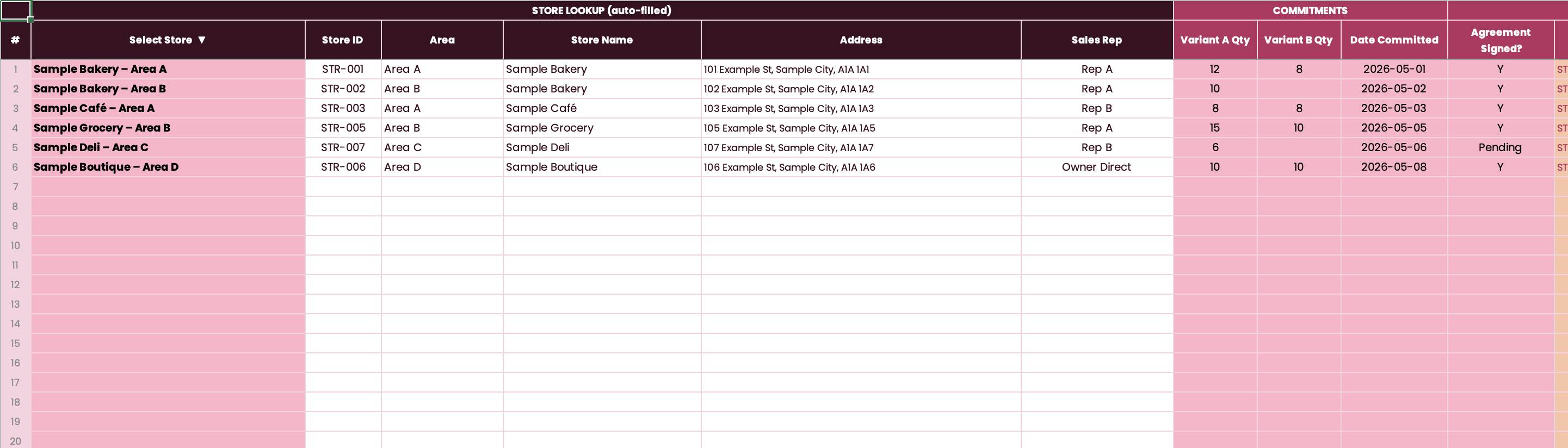
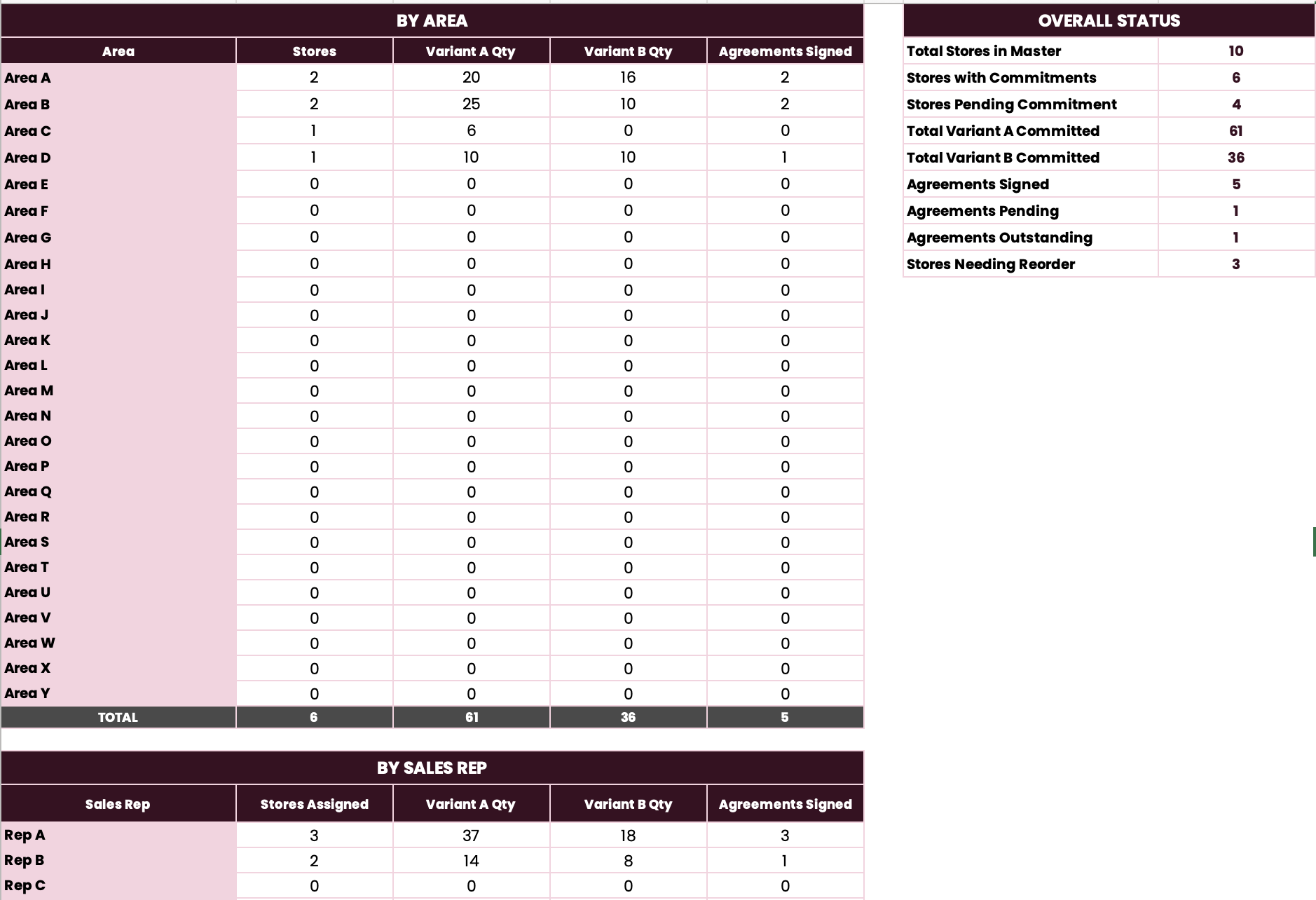
Four tabs hand off to each other through formulas. You type each piece of information once. The Balance and Reorder columns calculate themselves and tell you what to invoice this week and where to send the next replenishment.
Built originally for a community book distribution across 70+ Montréal retailers. The architecture works for any consignment program — CPG, beverage, beauty, paper — at any scale between 5 and 100 stores.
Who this is for
Founders placing physical product on consignment with multiple stores or pop-ups. Typically $200K–$3M revenue. No dedicated retail ops person. Currently tracking across multiple spreadsheets, sticky notes, or memory.
Inside the file
- Stores tab — master list of all retailers, with Store IDs that ride invisibly through lookup formulas
- Commitments & Agreements tab — what each store agreed to carry and whether the agreement is signed
- Consignment Tracker tab — the movement ledger (delivered, sold, returned, balance, reorder flag, invoice status)
- Summary tab — by-area pivot and overall KPIs
- Read Me tab — 5-step setup instructions
Preview

How to use it
- Paste your stores into the Stores tab. Give each a Store ID.
- Rename the variant columns to your actual SKUs.
- For each committed store, log the quantity and agreement status in Commitments.
- As you deliver and sell, log activity in the Consignment Tracker tab.
- Check the Summary tab weekly. It will tell you what to invoice and where to reorder.
Grab the file.
No email. No signup. Direct download.
Download the Consignment Tracker (.xlsx, 42KB) ↓