SKU & UPC Master List
A free Excel tool for CPG founders whose products go by three different names — give every product one name and one set of barcodes, then see exactly which of your systems disagree.
SpreadsheetWhat this does
A retailer asks for your catalogue with UPCs and the answer is an afternoon in your inbox — digging barcodes out of packaging proofs, pack sizes out of supplier emails, and case counts out of an old onboarding form. You rebuild the same list every time, and no two versions come out the same.
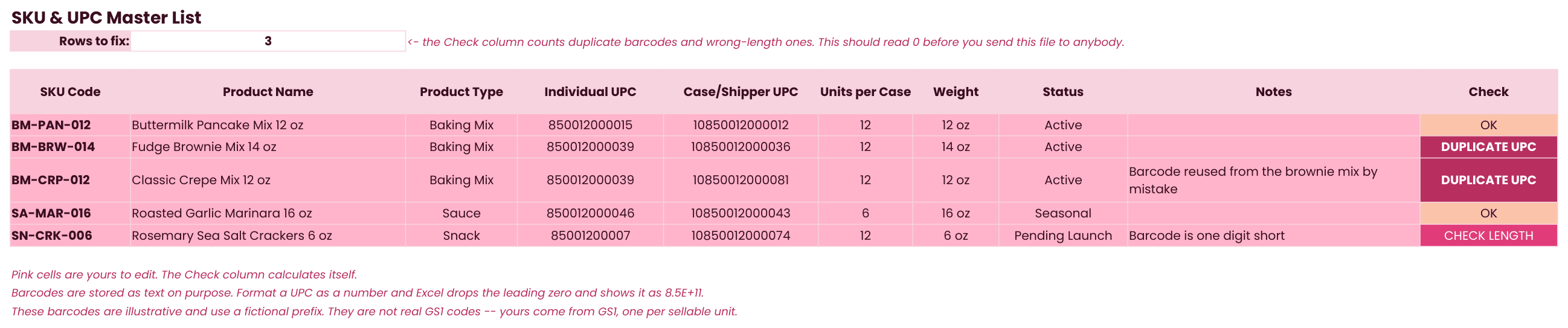
This file gives every product you sell one name and one set of barcodes, in one place. Enter each product once with both barcodes — the individual UPC on the unit a shopper buys, and the case or shipper UPC on the box a retailer receives — and a Check column flags any barcode that is the wrong length or has been used on more than one product. Then the Name Map tab asks a harder question: what does each of your systems actually call this product? Paste in the name from Shopify, QuickBooks, your co-packer, and your retailer portal, and the Status column flags every product your systems think is two products.
The one idea it exposes: identity comes before accuracy. Before you can trust a number about a product, the product needs one name. Most small brands have three — one in the store, one in the books, one at the co-packer — and every report built on top of them is quietly adding up two different things. Nobody decided this; it happened because no system was ever designated as the one that names things. This file is that system.
Who this is for
CPG founders with products in retail, or heading there, who have never had a single place that says what each product is called and what its barcodes are. If your catalogue gets rebuilt by hand every time a retailer or distributor asks for it, or you have ever suspected a report was adding up the same product twice under two names, this is the file. No inventory system required — it is a spreadsheet, and it is meant to sit upstream of whatever systems you already run.
Inside the file
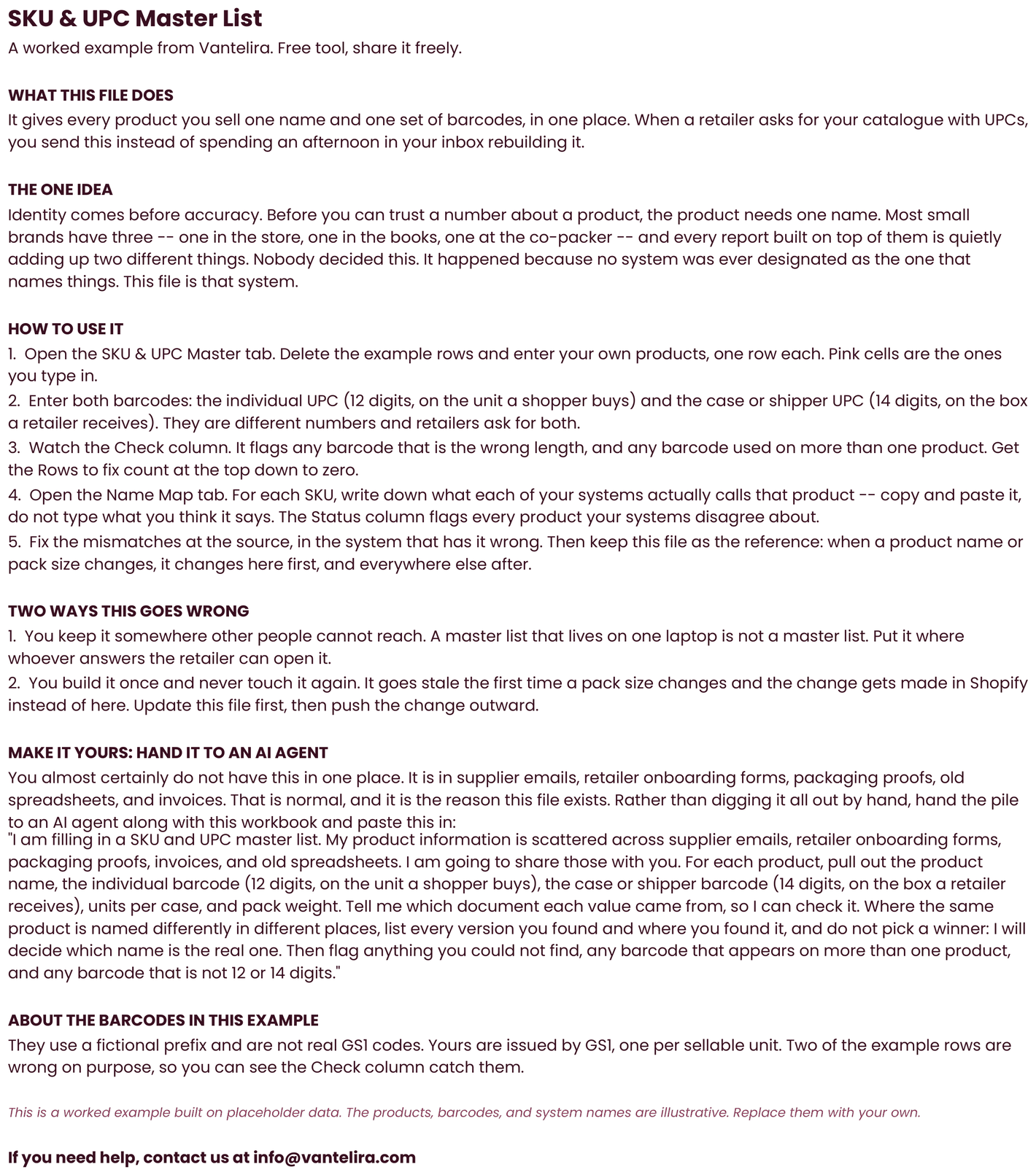
- Read Me tab — the user manual that travels with the file — what it does, the one idea (identity comes before accuracy), a 5-step how-to, the two ways a master list goes stale, and a prompt for handing the whole scattered pile to an AI agent
- SKU & UPC Master tab — one row per product: SKU code, product name, type, individual UPC, case/shipper UPC, units per case, weight, status, and notes. A Check column calculates itself — it flags any barcode that is the wrong length and any barcode used on more than one product, and a Rows to fix count at the top tells you when the file is clean enough to send
- Name Map tab — the same SKUs against what each of your systems calls them. The canonical name pulls straight from the Master tab; you paste in the Shopify, QuickBooks, co-packer, and retailer-portal names, and the Status column reads Aligned or MISMATCH per product, with a Mismatches count at the top
Preview

How to use it
- Open the SKU & UPC Master tab, delete the example rows, and enter your own products — one row each. Pink cells are the ones you type in.
- Enter both barcodes per product: the individual UPC (12 digits, on the unit a shopper buys) and the case or shipper UPC (14 digits, on the box a retailer receives). They are different numbers and retailers ask for both.
- Watch the Check column. It flags any barcode that is the wrong length and any barcode used on more than one product. Get the Rows to fix count at the top down to zero before you send this file to anybody.
- Open the Name Map tab and, for each SKU, record what each of your systems actually calls that product — copy and paste it out of the system, do not type what you think it says. The Status column flags every product your systems disagree about.
- Fix each mismatch at the source, in the system that has it wrong. Then keep this file as the reference: when a product name or pack size changes, it changes here first and everywhere else after.
Grab the file.
No email. No signup. Direct download.
Download the SKU & UPC Master List (.xlsx, 11KB) ↓