
TL;DR
- The agents are not the hard part. The handoffs are. A team of AI agents works when every one has a named role, a schedule, a place to hand work to, and one rule: it drafts, I approve.
- Write down the order before you automate. This week’s episode, E12, walks through where to start with AI when nothing is documented: define the words, name who decides, assign who owns it, then bring AI in.
- Pick one recurring task and write its handoff this week. Who starts it, when it runs, who it goes to next, and who signs off before it leaves the building.
Let me ask you something. What happens in your business at 8:25 on a Tuesday night?
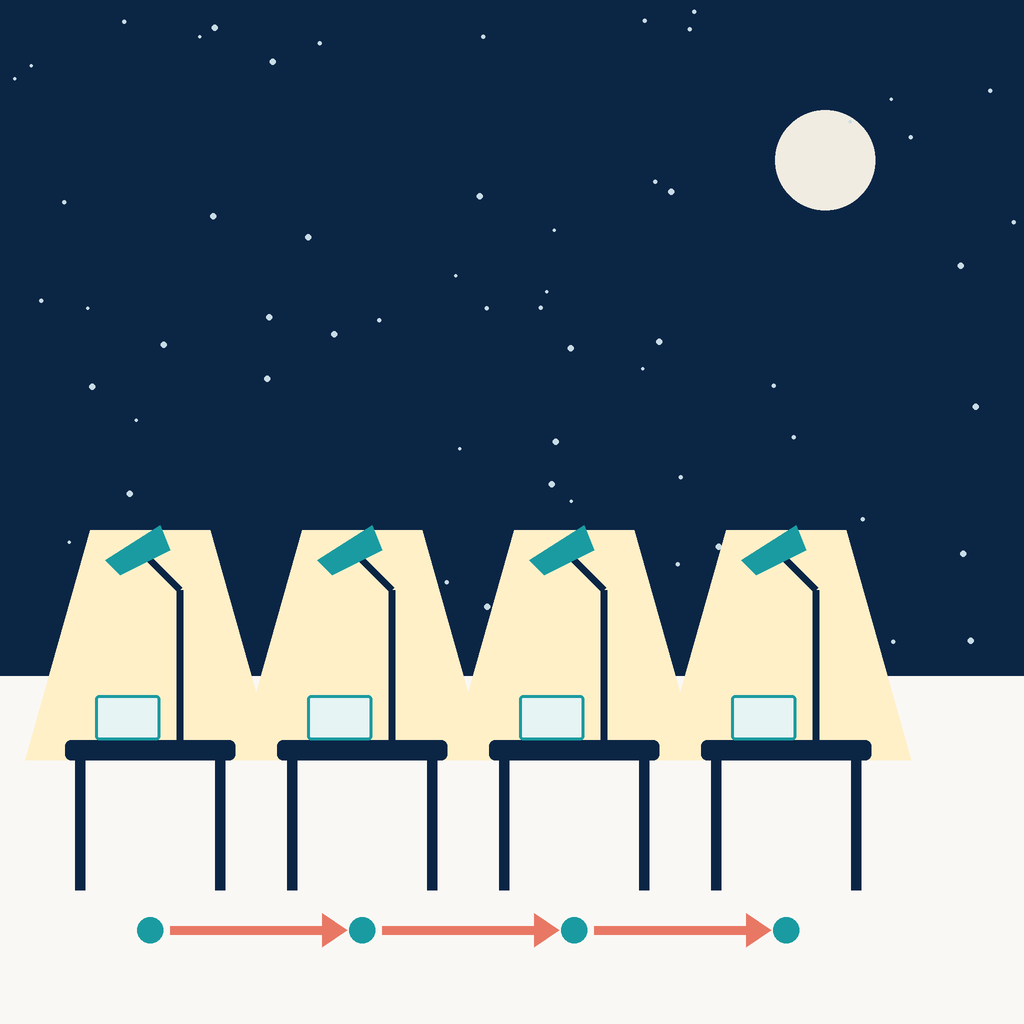
In mine, one of my agents is researching ideas for tomorrow’s posts. The next morning, at 7:46, it scans for every new mention of “forward deployed operator” and every new job posting. When it finds a role, it doesn’t just tell me. It hands it to another agent, the one that runs my research outreach.
Spending time working in operations and deciding which work goes to which system, and who signs off before anything moves. When I built my own agent team this year, I thought the work would be the prompts. It wasn’t. It was the same work I do inside every operation I walk into: roles, handoffs and sign-off.
Last week I wrote about choosing the tool (The AI Hiring Screen). This week is the build: who is on the team, what their day looks like, and how work moves between them.
The problem
A few weeks ago I said that “Seven agents with names, a chief of staff and an org chart” had replaced the five different things I used to have running at the same time. As I write this, there are ten.
Each new agent was easy to stand up. The trouble was never one agent. It was the space between them.
Who gets the job posting the content agent found? Who tells me that two agents both want my Tuesday morning? Who knows that I already corrected a rule last week, so I don’t have to correct it again?
That is not an AI problem. That is an operations problem. It is the exact same problem I see in literally every company I walk into, just with bots instead of people.
What I tried first (and why I switched)
I didn’t start from zero. Four of today’s agents first lived on Claude: Oscar on the books, Andy on content, GTM on outreach, and Jerry M. on one client engagement. And they worked. But every setup needed more technicality than I wanted, and more than once I needed a developer to help me get it running.
Then I heard you could create multiple agents in Grok, with a creation interface that is actually user friendly. And two weeks ago, clients started asking me: do you use Grok? So I tried it.
I rebuilt those four in Grok, and then the team kept growing, to ten. Standing the agents up was fast. And I confirmed that more agents without a structure just gives you more things to check. You don’t get your time back. You get a busier inbox with nicer writing in it.
So I did what I would do for a client. I drew the org chart first.
The team
Here is who is on it today, ten agents. Every agent has a name, a role and someone it reports to.
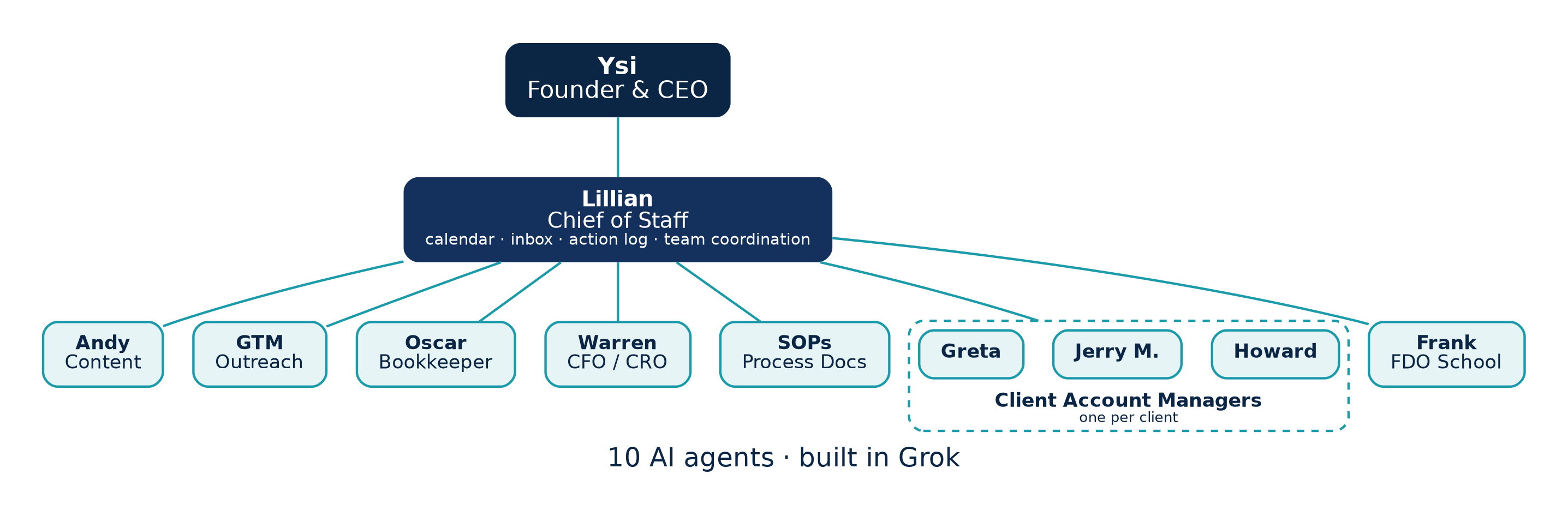
- Lillian, Chief of staff: Coordinates the team and routes work. Owns my calendars and the inbox sweeps (she took over the scheduling from an earlier agent). Runs the Notion action log: asks each agent for status and keeps it current.
- Andy, Content: Every evening at 8:25 PM, provides ideas for my socials. Every morning at 7:46 AM, scans for “forward deployed operator” mentions and job postings. Saturday podcast pipeline review. Builds the podcast episode pages draft for my final sign off and review.
- GTM, Research on outreach. Analyze response rates and serves as sounding board for brainstorming.
- Oscar, Bookkeeper: Keeps the books clean and ready.
- Warren, CFO / CRO view: The finance and revenue view of the business. On top of the business plan and already found me savings.
- Howard, Jerry M. and Greta, Client account managers: One per engagement. Each tracks the open threads for its engagement and flags me if an email needs attention.
- Frank, FDO School: Runs the School side, separately.
- SOPs, Process documentation: Writes down how the work actually runs, so the rules live somewhere other than my head.
Notice something. Not one of those roles is “AI assistant.” Each one is a job.
How the work moves
This is the part nobody shows you in the demos. Four rules run the whole thing.
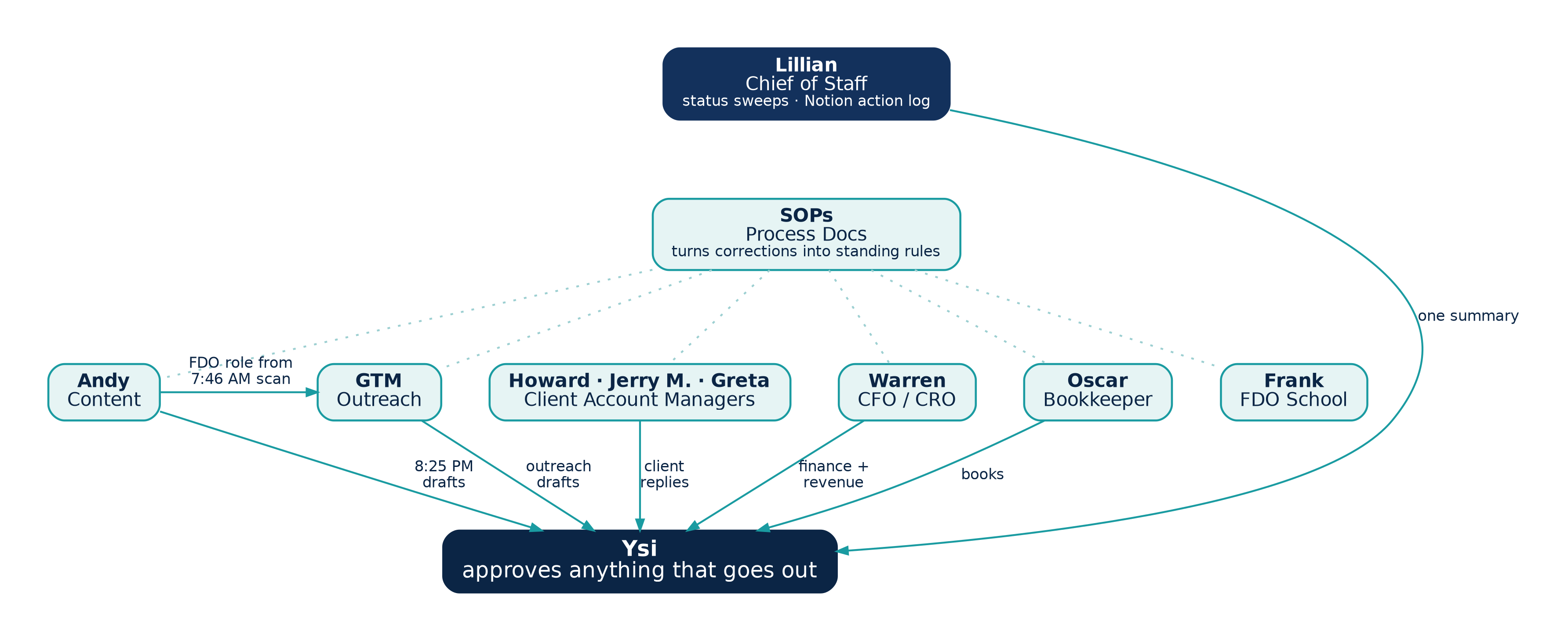
Rule 1: Every agent drafts. I approve anything that goes out.
Sends, posts, merges, deploys. Nothing leaves without me. GTM drafts the outreach notes; I send them. Andy builds the episode page; I merge it.
That one rule is what let me stop worrying. I am not reviewing everything they do. I am reviewing everything that leave, signing off on the outcome.
Rule 2: Agents hand work to each other, not back to me.
Here is one I just set up this week. Andy’s morning scan finds new Forward Deployed Operator job postings. Until now, that landed in my chat as “FYI, here’s a role.” Starting now, it goes straight to GTM, with the company, the pay and the link, and GTM folds it into the outreach pipeline. It just started, but the idea is simple: I see it once, already drafted, ready for a yes or no.
And Lillian closes the loop the other way. When I ask for a status check, she asks every agent where its items are, updates the action log in Notion, and sends me one summary instead of one from each agent.
Rule 3: Routines run on a schedule, while I sleep.
The research at 8:25 PM for the next day. The scan runs at 7:46 AM. The podcast review runs Saturdays. GTM’s notes come in the morning and the afternoon. I don’t ask for any of it. It is just there when I open my laptop.
Rule 4: One computer, separate memories, permissions per connector.
The agents share one computer, so a file one of them makes is there for the others. But each has its own memory and its own chat, so Andy is not reading my client threads and an account manager is not drafting research posts.
Access is granted per connector: Gmail, Calendar, Drive, Notion, GitHub. An agent only touches the tools its job needs.
One workflow, end to end: a podcast episode
If you want to see the team work, follow one episode.
We have a run sheet. My editor, does steps one through four. Then Andy picks it up: builds the episode page, writes the YouTube metadata and sets up the scheduling.
The episode page goes up as a pull request on the website. Andy builds it. I merge it. Same people, same job, every week.
What I love about this is that the run sheet is not a document someone wrote once and forgot. When we hit something new, it goes into the sheet. Which brings me to the thing that surprised me most.
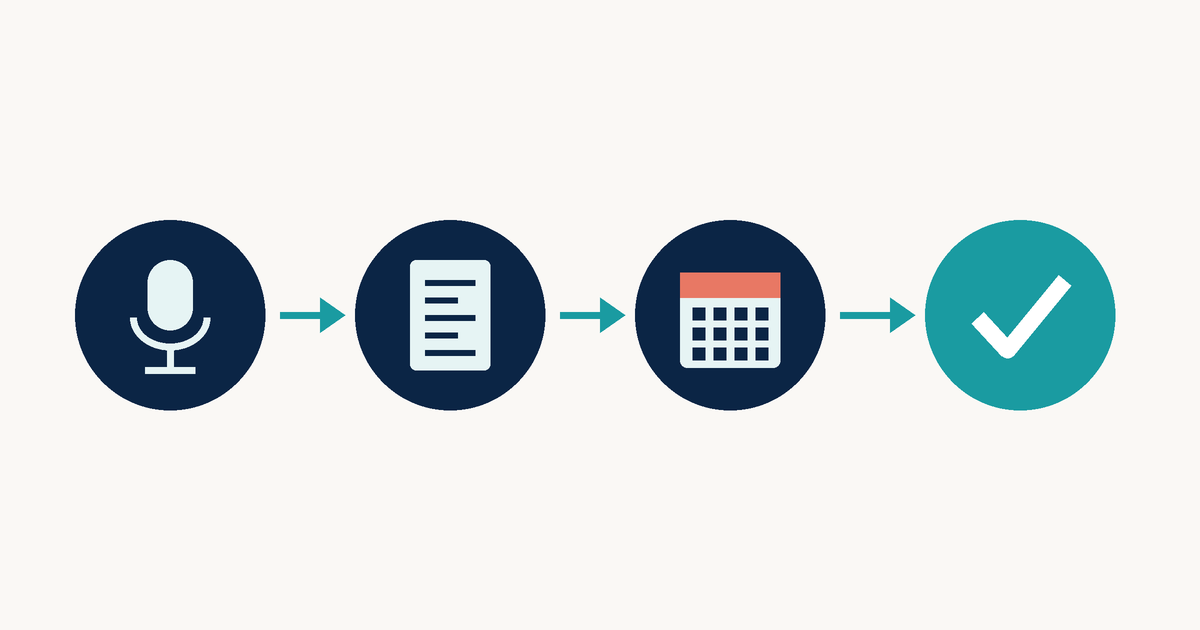
Correct it once, and it becomes a rule
Two real corrections from the last few weeks.
I told Andy once: dont recommend hashtags on LinkedIn. I don't like them. That is now a standing rule for every suggestions
I told Andy once that episode pages stay unpublished until the weekend before the episode goes live. That went into the run sheet, and the next page was built that way.
Think about how many times you have given the same feedback to the same person, or the same team, or the same vendor. Right?
This is what the SOPs agent is for, and why I would put one on any team, human or not. The correction stops being a conversation and becomes the process.
What changed
I come from enterprise operations, so I measure this the way I would measure any team.
Proposal and customer-response turnaround came down. When a client asks for something, the draft is already waiting for me instead of waiting for me to find the time.
The books stay clean, and clean books saved us money.
And we closed the quarter in two days. A record for us.
But the change I feel most is in my day. I am not going to get information anymore. It comes to me, drafted, with a question at the end: yes or no?
You are not paying people to go get information. You’re paying them to make decisions with it. Turns out that is true for agents too.
The hardest part: stopping
I’m going to be honest with you. The hardest part was not the build. It was stopping.
Agents can work 24 hours. An idea I have late at night can be running before I go to bed. And the feeling of getting that much done is a high. I’m telling you, it is hard to close the laptop.
So I had to learn to reclaim my own time. The agents don’t need breaks. I do. A schedule is a guardrail for me too, not just for them.
If you want to build your own
You do not need ten agents. Start with one recurring task and answer four questions:
- Who is it? Give it a name and one job. Not “assistant.” A job.
- When does it run? A time, a day. If it only runs when you remember, it is not a routine.
- Where does the work go next? Name the next agent or the next person. If the answer is always “me,” you built a busier inbox.
- Who signs off before it leaves? Write the name down. For me, it is always me.
Then, when it gets something wrong, don’t just fix the output. Fix the rule, and write it down.
It is a struggle at the beginning. Once you are past that, it is beautiful.
What’s next
Two things. First, as the team and the business grow, I want a human monitoring layer besides me, someone else who watches what the agents are doing. Second, I’m fine-tuning the guardrails inside each agent’s operating instructions, one by one. Same rule as always: correct it once, write it down.
Also this week: in E12, Where to Start With AI When Nothing Is Documented, it’s just you and me. Most teams are being asked for AI before anyone has written down how the work gets done. I walk through the order I use: define the words, name who decides, assign who owns the process, the edits and the data. Only then does AI come in. It is the same order I used to build the team above.
Anyone can stand up an agent in an afternoon. A team is what you get when you decide where the work goes next.
Know a builder who would actually run this? Forward it to them.
P.S. This is the work I train, on real operations, not case studies. FDO School is an 8-week live cohort where you go inside an actual company, fix a real problem, ship a working AI system, and leave with the build, the case study, and the title: Forward Deployed Operator.